What it is about
It connects Claude Code to a live Xero organisation through Xero's official Model Context Protocol surface so you can ask for invoices, contacts, bank transactions and standard reports in plain language, and optionally create or update records when write scopes are granted. The tutorial contrasts the hosted Remote MCP with the self-hosted npm package and with the separate read-only Claude marketplace connector.
What it offers, according to the source
Evgeny reports that after about ten minutes of setup he could ask Claude for unpaid invoices and expense summaries without opening the Xero dashboard. Xero publishes no savings figures for Remote MCP. Independent users report that bulk extraction through the self-hosted server is slow because list tools paginate ten records at a time (GitHub issue #193, still open). Use Carly stresses that MCP only runs while a chat is open: it does not watch for overdue invoices or run on a schedule.
Mind the evidence. Someone explains how they do it or did it, without verifiable figures. It is documented practice, not proof that it will work in your case.
What has really been tested
On 19 October 2026 we read Evgeny's May 2026 setup guide, Xero's Remote MCP FAQ (including the server URL, plan limits, PKCE guidance and the statement that V1 tools do not confirm writes), the GitHub README and npm page for @xeroapi/xero-mcp-server (383 stars, ~12,180 weekly downloads, v0.0.17), the Claude marketplace Xero connector page, Use Carly's July 2026 overview, GitHub issue #193, and public X posts about multi-org setups and a Claude Code bug-fix contribution. We have not authorised a Xero organisation from this machine, have not run the OAuth flow and have not measured token cost.
How to follow it
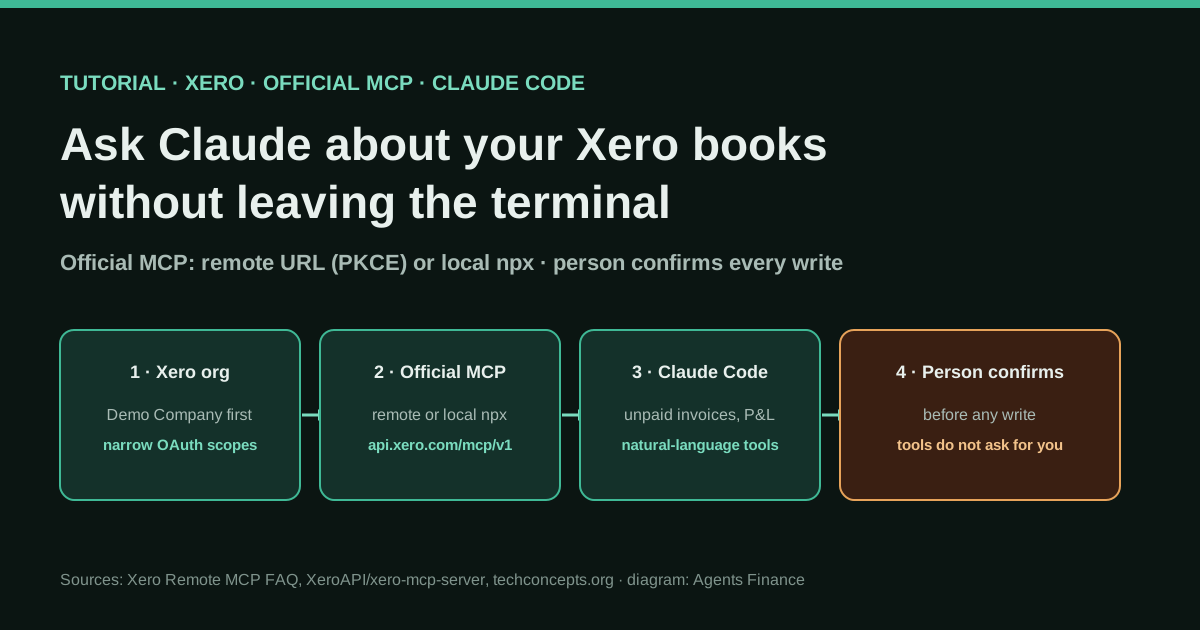
Use the Demo Company first. Prefer Remote MCP with PKCE if your Xero developer plan allows it; otherwise run the official npm package locally with a Custom Connection (or a Web app if Custom Connection is unavailable in your region, as Evgeny did from Spain). Keep credentials in environment variables. Start read-only, reconcile answers against Xero's own reports, then enable write only with a standing instruction that Claude must wait for your confirmation. Never paste client secrets into a prompt.
- Decide which official path you need: Xero Remote MCP (hosted URL, PKCE, Core plan or above for real orgs; Starter only on the Demo Company) or the self-hosted npm package with a Custom Connection or Web app credentials.
- Start on Xero's Demo Company. Create or reuse a developer app with the narrowest scopes you need (invoice and contact read first; no write scopes until you have a review habit).
- Register the server in Claude Code (or Claude Desktop / Cursor): for Remote MCP use the URL and PKCE flow Xero documents; for local use npx -y @xeroapi/xero-mcp-server@latest with XERO_CLIENT_ID and XERO_CLIENT_SECRET as environment variables, never pasted into the chat.
- Complete the one-time OAuth consent, then ask read-only questions such as unpaid invoices in the last 30 days, aged receivables, or last quarter's expense categories, and compare each answer with the same report inside Xero.
- Only if read-only matches, add write scopes and require Claude to show a draft and wait for your explicit OK before create-invoice, create-payment or create-bank-transaction; Xero's FAQ states V1 tools do not elicit confirmation themselves.
- For several organisations, name each connection clearly or ask Claude which org is active before every write; do not rely on the model to guess.
In two sentences
Xero now ships an official Model Context Protocol surface so Claude Code (and other MCP clients) can query — and, if you allow it, change — a Xero organisation without CSV exports. A May 2026 walkthrough from Madrid shows a ten-minute Claude Code setup that answered “what is unpaid this month?”; Xero’s own FAQ and the open-source server README fill in the two official paths, the plan limits and the places where the tools will not protect you.
Who does it and what kind of evidence this is
The practical steps that make this a tutorial rather than a product page come from Evgeny at techconcepts.org in Madrid. In May 2026 he published a first-person guide: he created a Xero Web app, put @xeroapi/xero-mcp-server in his Claude Code MCP config, completed OAuth once, and asked Claude for unpaid invoices and expense summaries. He writes as a developer documenting a setup that worked for him, not as a Xero partner selling an add-on.
We treat three other sources as the official and community frame, not as measured savings:
- Xero’s Remote MCP FAQ, which states the hosted server URL (
https://api.xero.com/mcp/v1), that clients must support OAuth 2.0 with PKCE, that Custom Connection apps cannot use Remote MCP, that Starter plan apps may use only the Demo Company, that Core and above can use real organisations, that each tool call hits one organisation, and that V1 tools do not ask the user to confirm before changing data. - The official self-hosted package
XeroAPI/xero-mcp-serveron GitHub (MIT licence; 383 stars and about 12,180 weekly npm downloads when we checked on 19 October 2026) and its published commands for listing invoices, contacts, bank transactions, P&L, trial balance and creating invoices, payments and journals when scopes allow. - Independent write-ups and tickets: Use Carly’s July 2026 overview (MCP is chat-bound; it is not a scheduler), GitHub issue #193 on bulk-read friction, and public X posts about multi-organisation setups and contributing a fix to the open-source server with Claude Code.
Evidence level: experiencia. Someone did the setup and published the steps; Xero documents the product surface; nobody in these sources publishes a controlled time study against clicking through the Xero UI.
The problem it tackles
Xero already has dashboards, saved reports and bank reconciliation. What it does not give you out of the box is a place where you already work — a terminal, Claude Desktop, Cursor — that can answer “which invoices are overdue this week?” or “summarise last quarter’s expenses by category” without exporting a CSV, opening three screens and pasting numbers into a chat. For a freelancer or a small practice that lives in Claude Code for other work, that context switch is the chore.
There is a second, separate product you should not confuse with this tutorial: the Xero connector in Claude’s marketplace, added in April 2026 according to Anthropic’s page. It is built by Xero Limited, signs in with OAuth, and exposes read-only tools such as profit and loss, cash position, aged receivables and invoice lists. Useful for questions inside the Claude apps. It is not the same as Remote MCP for builders, and it does not claim write access.
Tools and architecture
Three official layers, one job:
- Xero Remote MCP (hosted). URL in the FAQ:
https://api.xero.com/mcp/v1. Authorisation is Xero OAuth 2.0 with PKCE so there is no client secret to leak into a prompt. Documented for Claude Desktop, Claude Code, Cursor and VS Code. Multi-organisation: the user can authorise several orgs for the same app, then tell the agent which one to use; each call still runs against a single org. Custom Connection apps are not eligible. API calls appear in the Developer Portal under your app; prompts do not. - Self-hosted
@xeroapi/xero-mcp-server. You runnpx -y @xeroapi/xero-mcp-server@latest(or pin a version) and passXERO_CLIENT_ID/XERO_CLIENT_SECRET, or a bearer token if your client runs the OAuth flow. The README recommends Custom Connections for Claude Desktop and local testing. Scopes changed on 29 April 2026: connections created before that date use bundled V1 scopes; newer ones use granular V2 scopes. The server tries V1 then falls back to V2 unless you setXERO_SCOPESyourself. - Claude Code (or Claude Desktop / Cursor) as the MCP client that discovers the tools and turns your sentence into tool calls.
Evgeny’s Madrid setup used path 2 with a Web app (client ID, secret, redirect http://localhost:3000/callback) because, he writes, Custom Connection is simpler mainly in AU, NZ, UK and US, while Web app works more widely. That matches a recurring regional constraint; Xero’s Remote MCP FAQ separately prefers PKCE over pasting web-app secrets into AI tools. If Remote MCP is available on your plan, prefer it for exactly that reason.
What the tools can reach, according to the open-source README and Evgeny’s summary: invoices, contacts, chart of accounts, payments, bank transactions, quotes, credit notes, manual journals, P&L, balance sheet, trial balance, aged receivables and payables, tracking categories, and (in NZ/UK regions) payroll timesheets and leave. Write tools exist (create-invoice, create-payment, create-bank-transaction, and others). Treat write as optional and dangerous until you have a review habit.
Step by step
Summarised in our words. Use a Demo Company until read-only answers match Xero’s own screens.
1. Pick the path and the plan
If you build agents or want any MCP client with write potential, start from Xero’s Remote MCP FAQ: Core plan (or above) for a real organisation; Starter only against the Demo Company. If you cannot use Remote MCP (plan, client, or Custom Connection constraints), use the official npm package locally. Do not invent a third “community” server when the vendor one exists — Xero’s FAQ argues the hosted server shares the same OAuth, permissions and rate limits as the rest of the API.
2. Create the developer app with minimal scopes
For Remote MCP, follow Xero’s PKCE app guidance and grant only the scopes for the tools you will call. For the local package with a Custom Connection, create the connection in the Xero developer portal and add every scope in the V1 or V2 list that applies to your connection’s creation date (the README links both lists). Evgeny’s Web-app path: New app → Web app → redirect URI http://localhost:3000/callback → copy client ID and secret into environment variables, not into the chat and not into a committed file.
Rate limits stated in the FAQ are the same as the Xero API: 1,000 calls per day per organisation on Starter, 5,000 on Core and above.
3. Register the server in Claude Code
Remote MCP. Add the remote server URL in your client’s remote-MCP settings and complete the browser PKCE login when prompted. Xero documents Claude Code among the clients.
Local package. In ~/.mcp.json (or Claude Desktop’s claude_desktop_config.json) add a block equivalent to:
{
  "mcpServers": {
    "xero": {
      "command": "npx",
      "args": ["-y", "@xeroapi/xero-mcp-server@latest"],
      "env": {
        "XERO_CLIENT_ID": "${XERO_CLIENT_ID}",
        "XERO_CLIENT_SECRET": "${XERO_CLIENT_SECRET}"
      }
    }
  }
}
If you use Node Version Manager, point command at the full path to npx, as the README warns. Restart Claude Code. On first use, finish the OAuth window and Allow access for the organisation.
4. Ask read-only questions and reconcile
Evgeny’s starter prompts, which match what the tools expose:
- “Show me all unpaid invoices from the last 30 days.”
- “What were my top 5 expense categories last quarter?”
- “List contacts with overdue balances.”
- “Summarise this month’s profit and loss.”
- “Which invoices are due this week?”
Open the same report in Xero and compare totals, dates and contact names. If they diverge, stop: fix scopes, org selection or date interpretation before you trust the chat for decisions.
5. Enable write only with a standing confirmation rule
Xero’s FAQ is blunt: V1 tools do not elicit user confirmation before changing Xero data. You must tell the agent to show the draft and wait. Practically: keep write scopes off until read-only is boringly correct; then add only the scopes you need; put in your Claude instructions something like “Never create or update a Xero record until I reply OK to the exact payload.” Prefer drafts and Demo Company while you learn.
6. Handle more than one organisation deliberately
On X (7 October 2026) Erik (@eladvisory) asked how to connect multiple Xero instances with Claude Code. Replies sketched two patterns: one MCP entry per organisation with distinct names (xero-acme, xero-beta), or one login with an explicit org switch. Remote MCP’s FAQ says a user can authorise several organisations and should tell the agent which one to act on. Either way, say the organisation name in every write prompt. Guessing is how you invoice the wrong client.
A concrete example (as published)
Evgeny’s stated goal was simple: ask Claude for unpaid invoices without leaving the terminal. After the Web-app registration, the MCP block and one OAuth consent, he reports that Claude translated natural-language questions into Xero API calls and returned formatted answers. He does not publish a screenshot of amounts, a client name or a before/after time. Treat the example as proof of connectivity, not as a KPI.
A second concrete signal from the open-source community: on 6 May 2026 Kalvin Mizzi posted that he found a bug in the Xero MCP open-source server, had Claude Code fork the repo, write the fix, open a pull request and answer review comments until it merged — “first time contributing to a project I’d never read.” That does not measure bookkeeping quality; it shows people are running the same package end to end.
Declared results and friction (with sources)
| Claim | Who says it | What it is not |
|---|---|---|
| ~10 minutes to a working Claude Code ↔ Xero read path | Evgeny, May 2026 | Not a timed study; not measured against the UI |
| Hosted Remote MCP URL and PKCE; Starter = Demo only; Core+ for real orgs | Xero FAQ | Not a promise about model accuracy |
| V1 tools do not confirm writes | Xero FAQ | You must enforce confirmation in the client |
| list-invoices / list-credit-notes capped at 10 rows per page; no date-range filter on those list tools | GitHub issue #193 (AuthenticIntelligence, 9 June 2026; still open 19 Oct 2026) while extracting ~500 invoices for a UK manufacturer via Claude Cowork | Not fixed in the issue thread when we checked |
| MCP does nothing when the chat is closed; no “invoice went overdue” trigger | Use Carly, 17 July 2026 | Marketplace products that claim scheduling are a different architecture |
| Read-only marketplace connector in Claude apps | Anthropic / Xero connector page, added April 2026 | Not a substitute for Remote MCP write tools |
Limitations and risks
- Wrong organisation. One tool call, one org. Without an explicit name, a multi-org practice can post to the wrong books.
- Silent writes. Because V1 tools do not prompt for confirmation, a polite “go ahead and clean that up” can create invoices or payments.
- Secrets in prompts. Web-app client secrets pasted into chat logs are a leak. Prefer PKCE Remote MCP or environment variables.
- Bulk extraction cost. Issue #193 describes ten-at-a-time pagination and missing filters that multiplied tool calls for a few hundred invoices.
- Payroll geography. The open-source README limits payroll-specific queries to NZ or UK regions.
- Data leaves your laptop. Whatever Claude sees goes to the model provider under that provider’s terms. For client books, that is a GDPR and engagement-letter question, not only a tech one.
- Not a close robot. MCP answers when you ask. It does not replace bank feed monitoring, scheduled reconciliations or a human sign-off on the VAT return.
Common errors
- Expecting Custom Connection to work with Remote MCP. The FAQ says Custom Connections are not eligible; use the PKCE app type Remote MCP documents.
- Starting on a live client organisation. Reset the Demo Company instead; it exists for this.
- Granting write scopes on day one. Read invoices and P&L until the numbers match; then widen.
- Hard-coding secrets in
mcp.jsonand committing them. Use env vars; rotate if they leaked. - Assuming the marketplace Claude connector is the same as MCP write access. It is read-only and lives in Claude’s connector directory.
- Paging through hundreds of invoices in chat when a filtered Xero report or a dedicated export would be cheaper — see issue #193.
- nvm users leaving
commandas barenpx. Point at the absolute binary path or the server never starts.
Conclusions
If you already keep books in Xero and already work in Claude Code, the official MCP paths remove the CSV middleman for ad-hoc questions and carefully supervised drafts. Prefer Remote MCP with PKCE when your plan allows it; keep the self-hosted npm package for Custom Connection / local setups like Evgeny’s Madrid Web-app guide; use the marketplace connector when you only need read-only answers inside Claude. In every case, make a person confirm writes — Xero will not do that for you on V1 tools — and treat bulk history jobs as something the current list tools do poorly.
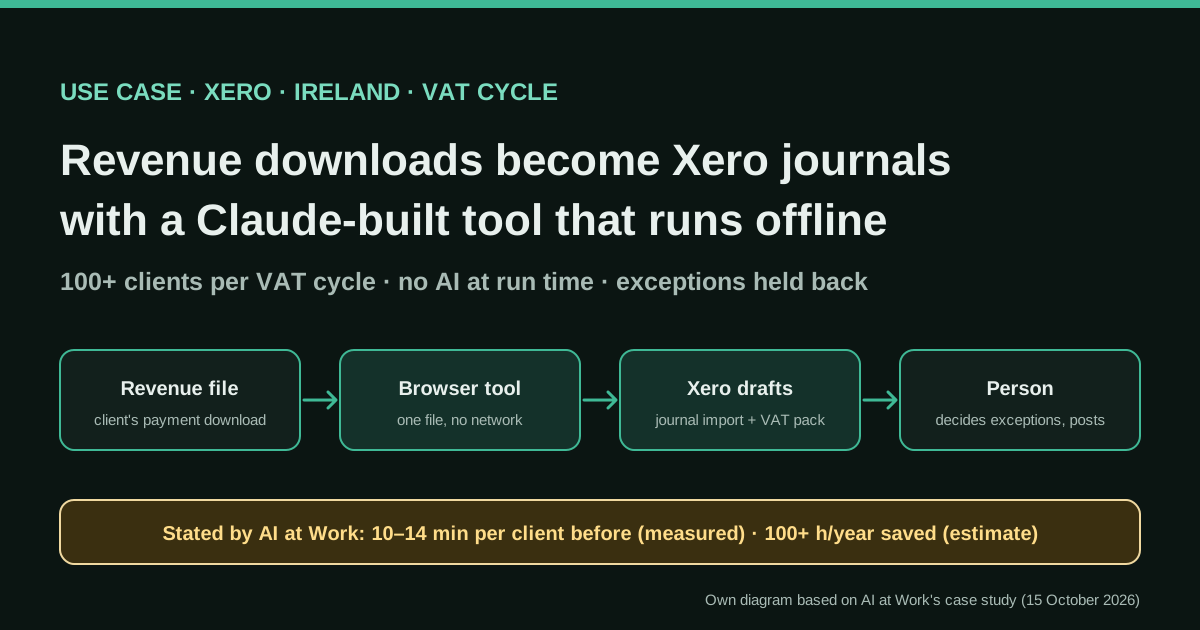
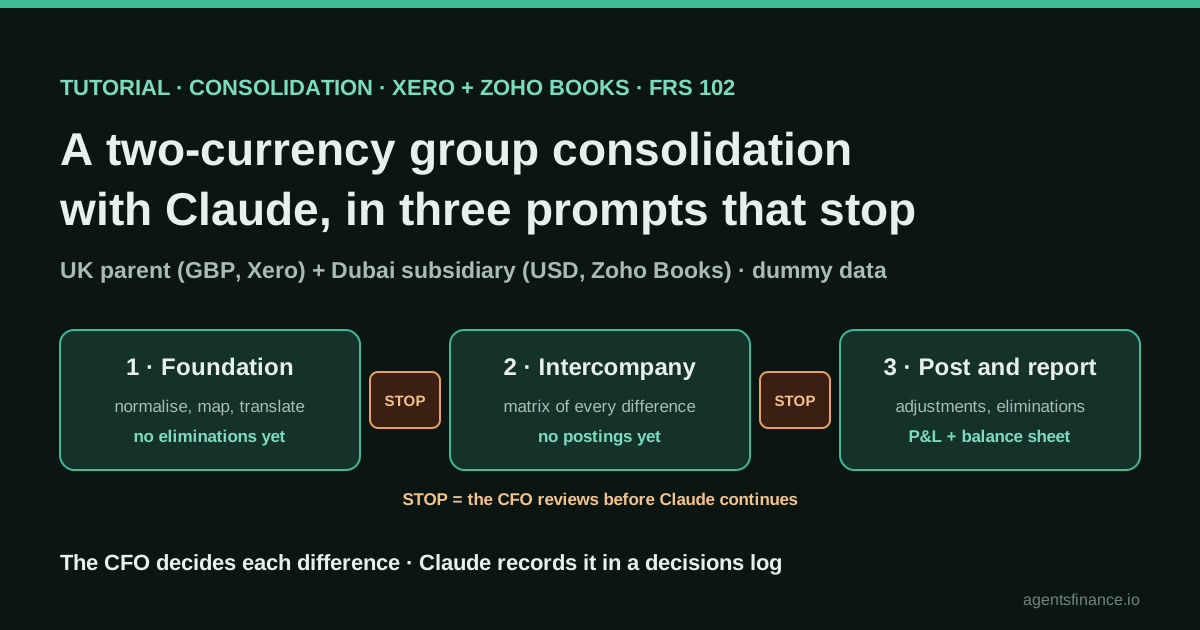
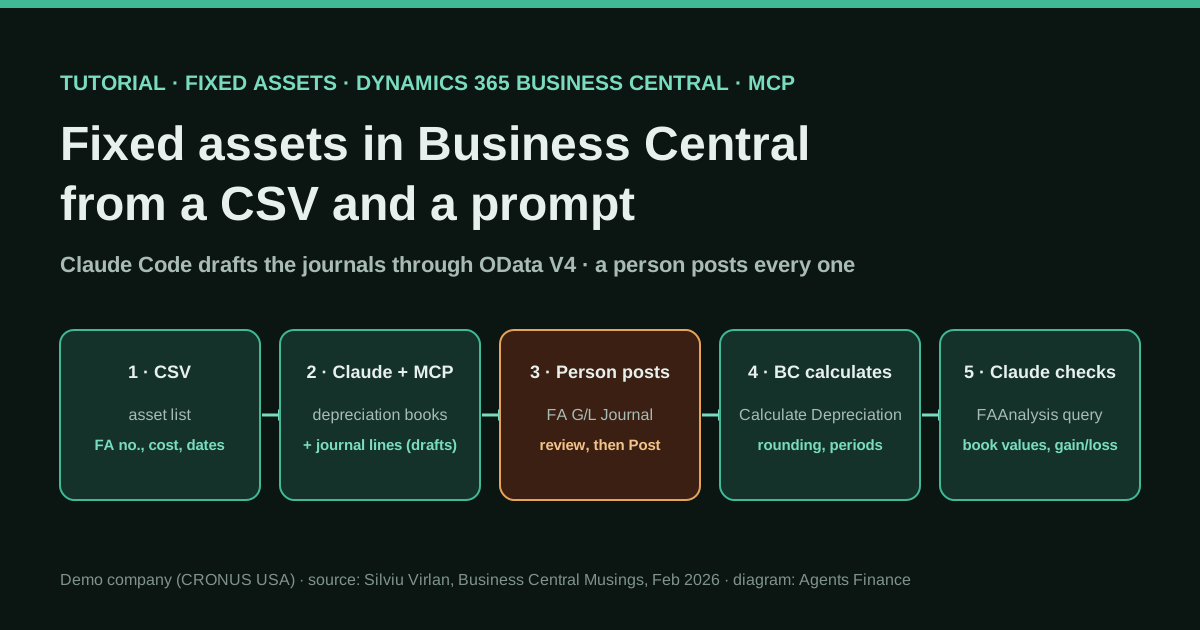
Related on this site: the Irish practice that built an offline VAT-to-Xero journal tool with Claude (no live MCP), the group consolidation tutorial that starts from Xero exports, Holded’s remote MCP launch, the community Odoo MCP server, and the Business Central fixed-asset tutorial that also keeps posting with a human.
Sources
- techconcepts.org (Evgeny) — How to Connect Xero to Claude Code via MCP (10-Minute Setup) (May 2026) (opens in a new tab) (primary)
- Xero Developer — Remote MCP FAQs (server URL, PKCE, plans, no write confirmation on V1 tools) (opens in a new tab)
- GitHub — XeroAPI/xero-mcp-server (official self-hosted MCP server, MIT; README checked 19 Oct 2026) (opens in a new tab)
- npm — @xeroapi/xero-mcp-server (package page; v0.0.17 updated 26 May 2026) (opens in a new tab)
- Claude by Anthropic — Xero connector marketplace page (read-only tools; added April 2026) (opens in a new tab)
- Use Carly — Xero MCP: Official, but You Have to Self-Host It (17 July 2026; limits of chat-only MCP) (opens in a new tab)
- GitHub issue #193 — Bulk-read limitations: 10-record page cap, no date filter (opened 9 June 2026, still open on 19 Oct 2026) (opens in a new tab)
- X — @kalvinmizzi on fixing a bug in the open-source Xero MCP via Claude Code (6 May 2026) (opens in a new tab)
- X — @eladvisory asking how to connect multiple Xero instances with Claude Code (7 Oct 2026) and replies (opens in a new tab)
We wrote this entry in our own words from the sources above and checked that the links worked on October 19, 2026. Is anything incorrect? Tell us.