What it is about
It explains what changed for QuickBooks invoicing at Intuit Connect 2026, separates the seven ways AI now reaches QuickBooks invoices (Claude, ChatGPT, three beta connectors, Intuit's hosted MCP pilot, Intuit Intelligence inside QuickBooks, Agentic Books Close and the REST API), classifies the 24 tools in Intuit's pilot MCP server by what they change, and gives an accounts receivable team a draft-only routine with a daily review script.
What it offers, according to the source
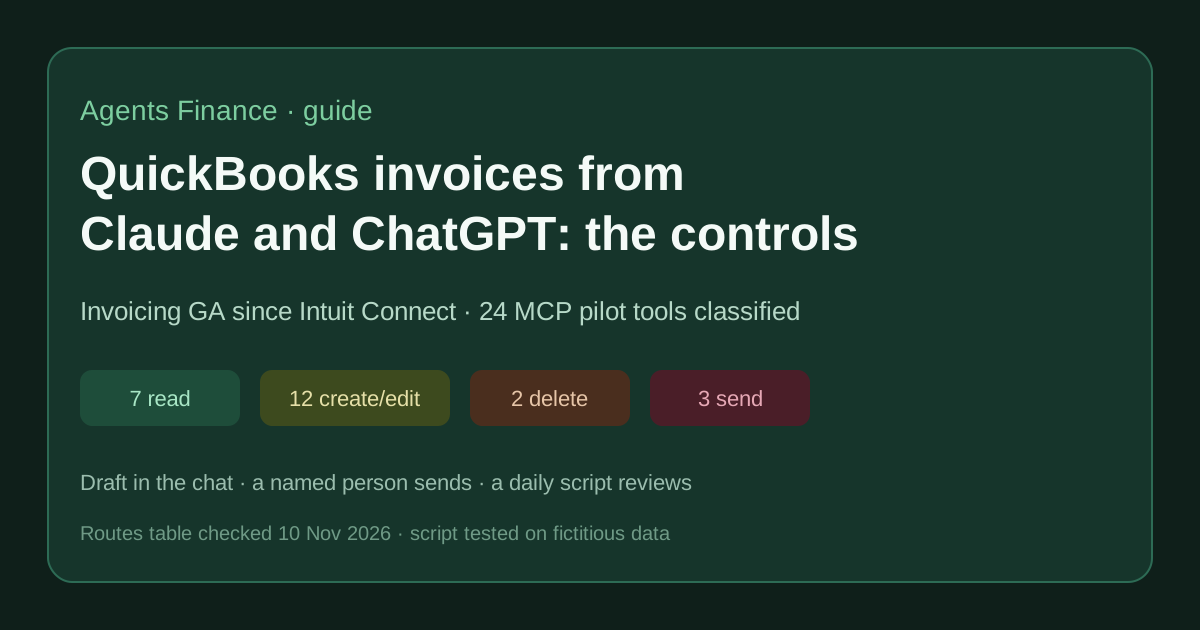
No customer results yet. Intuit labels invoicing in ChatGPT and Claude as generally available and the wider connectors as beta, and says nothing is sent without approval. Its pilot MCP README lists 24 tools: 7 read, 12 create or edit, 2 delete and 3 that send to customers. Our script passed its self-test and flagged 5 of 9 fictitious invoices (3 high).
Mind the evidence. Described by the project’s own documentation or README. It says what the project claims to do and how it is used, not that it works in your case: we have not tested it.
What has really been tested
On 10 November 2026 we read Intuit's fall 2026 release page, the QuickBooks news page on Claude and ChatGPT write actions, the accountants' fall release guide (PDF), the 27 October press release, Firm of the Future's Connect recap, Accounting Today's report and the README of IntuitDeveloper/intuit-3p-ai-pilot at commit f42172a. We built the routes table and the 24-tool classification from those pages and wrote chat_invoice_review.py; its self-test passes and on the 9 fictitious invoices it returns 5 flags (3 high, exit code 1). We have not connected Claude, ChatGPT or the pilot MCP server to a QuickBooks company, and we have not seen what the Intuit Intelligence audit log records for a chat-created invoice.
How to apply it
Download the folder from /downloads/, run python3 chat_invoice_review.py --self-test, then feed it your own invoice and customer exports with a source column. Paste assistant-instructions.en.md into the Claude or ChatGPT project you use with QuickBooks and keep the send step with a named person.
- Decide who in the company may connect QuickBooks to Claude or ChatGPT; Intuit Intelligence chat is limited to admin users, while the Claude and ChatGPT connectors are connected by signing in to QuickBooks from the assistant.
- Paste our assistant rules into the Claude or ChatGPT project used for invoicing: draft only, show a table, wait for SEND plus the invoice number.
- Keep delete, settings and new products out of the chat; do those in QuickBooks.
- Every morning export yesterday's invoices and the customer list, mark which invoices came from the chat, and run chat_invoice_review.py.
- Clear every high flag (duplicate, wrong email, unknown customer, large amount already sent) before the next send.
In two sentences
Since Intuit Connect (26–28 October 2026), anyone on QuickBooks Simple Start through Advanced can ask Claude or ChatGPT to create, update and send real QuickBooks invoices, and Intuit calls that invoicing feature generally available. That moves a customer-facing, revenue-booking action into a chat window, so the job for a finance team is not “should we try it” but “who approves the send, and who looks at what the chat created yesterday”.
What actually changed at Intuit Connect 2026
Three facts, each with its own source:
- Invoicing in Claude and ChatGPT is GA; the connectors as a whole are beta. Intuit’s fall 2026 release page lists the connectors as “beta; ChatGPT and Claude invoicing are GA”, for ChatGPT, Claude, Gemini in Google Workspace, Perplexity and Muse from Meta, “available in QuickBooks Simple Start through Advanced”. Its FAQ adds: “Nothing sends until you approve it.”
- The write actions arrived earlier. A QuickBooks news page (no visible date; Apideck dates it 28 July 2026) said the Claude connector and ChatGPT plugin were moving “beyond read-only access”: create, update, send and delete invoices, recurring invoices, reminders, estimates, payment links, new customers and new products. What Connect added is the GA label and more assistants.
- On stage, it was pitched to accountants as well as owners. Accounting Today quotes Arundhati Singh, Intuit’s SVP for small business and accountants: “you and your client can create QuickBooks invoices, directly in Claude and ChatGPT from live customer data.”
Two details from the accountants’ fall release guide matter for control design. First, context: “AI gathers context from QuickBooks and your client’s connected tools (like their calendar, email, bank feeds, etc.) to complete the requested task.” Second, volume: the same page promotes “creating and sending invoices in bulk”. Payments on those invoices are recorded in QuickBooks; the guide says this invoicing route needs QuickBooks Payments, and Intuit’s footnotes say Payments is not available outside the U.S.
Firm of the Future’s Connect recap also mentions “a unified Intuit Intelligence audit log” that “tracks all AI actions, third-party integrations (such as Claude), automations, and authorizations in one place”. We have not seen that log ourselves, so the routine below treats it as the place to look, not as a proven control.
Seven AI routes into QuickBooks invoicing (checked 10 November 2026)
Our own comparison, built only from Intuit’s pages. The status column copies Intuit’s label; we did not test any route against a live company.
| Route | Intuit status | Who can use it | What it can change | Sends to customers? |
|---|---|---|---|---|
| QuickBooks connector in Claude | Invoicing GA, connector beta | Simple Start to Advanced + Claude account | Invoices, estimates, customers, products, payment links | Yes, after approval in the chat |
| Intuit QuickBooks plugin in ChatGPT | Invoicing GA, plugin beta | Simple Start to Advanced + ChatGPT account | Same list as Claude | Yes, after approval in the chat |
| Gemini in Google Workspace, Perplexity, Muse | Beta | Simple Start to Advanced + that platform | “Draft invoices” (no tool list published) | Only after approval |
| Intuit hosted MCP server | Pilot, by invitation | App Partner Program partners whitelisted by Intuit | 24 tools, 17 change data or send | Yes, 3 send tools |
| Intuit Intelligence inside QuickBooks | Beta | Essentials to Advanced, admin users, monthly capacity | Drafts invoices, reminders | Reminders, with approval |
| Agentic Books Close | Pilot, paid add-on later | Firms on Intuit Accountant Suite Core or Accelerate | Posts pending bank transactions, reconciles, posts flagged items once approved | No |
| QuickBooks Online REST API | GA | Any developer app, App Partner Program tiers | Whatever your code calls | Only if your code sends |
The same table is in the download as a CSV with the source URL of every row. Intuit’s footnote on third-party platforms applies to the first three rows: connecting QuickBooks “requires an account with that platform, which may require a paid subscription”.
The 24 tools of Intuit’s pilot MCP server, by what they change
The consumer connectors do not publish a tool list. The closest public view is the README of Intuit’s hosted MCP pilot (repo IntuitDeveloper/intuit-3p-ai-pilot, last change 11 August 2026), which lists every tool with its OAuth scope. It is aimed at partners building their own agents, not at end users, and Intuit “reserves the right to change functionality or charge for any MCP server functionality in the future”. The README has no licence, so we only reproduce tool names and scopes as facts and link to it.
We grouped the 24 tools by effect:
| Effect | Count | Tools |
|---|---|---|
| Read | 7 | search customer, search products, get sales orders, get invoices, get settings, get estimates, get payment links |
| Create or edit (stays internal until sent) | 12 | create customer, create product, create sales order workflow, close sales order, create / update / duplicate invoice, create / update / duplicate estimate, create payment link, update settings |
| Delete | 2 | delete invoice, delete estimate |
| Send to the customer | 3 | send invoice, send estimate, send payment link |
Three observations a controller will care about:
- Scopes are per family, not per action.
sales.tools.invoicecovers create, update, duplicate, send and delete together. If a partner app gets invoice write access, it gets all five; any “draft only” rule has to live in the agent’s instructions or in a human step. qbo_sales_update_settingschanges company sales settings. That is configuration, not a transaction. We would keep it out of any chat.- Duplicate is a convenience and a risk. “Duplicate an existing invoice as a starting point” is exactly how a month gets billed twice. Our script’s first rule looks for it.
Intuit’s own sample prompts in the README already show the right pattern for an agent that sends: the expected output for a sales order is to “ask the user to confirm before saving”, and for a full invoice from a sales order it “asks to confirm send”.
Where the risk sits for an AR team
Intuit’s promise (“These items won’t be sent without approval”) covers the send. It does not cover:
- The wrong customer or the wrong amount, approved in a hurry. A tired owner who types “yes” to a table of 12 invoices approves all 12.
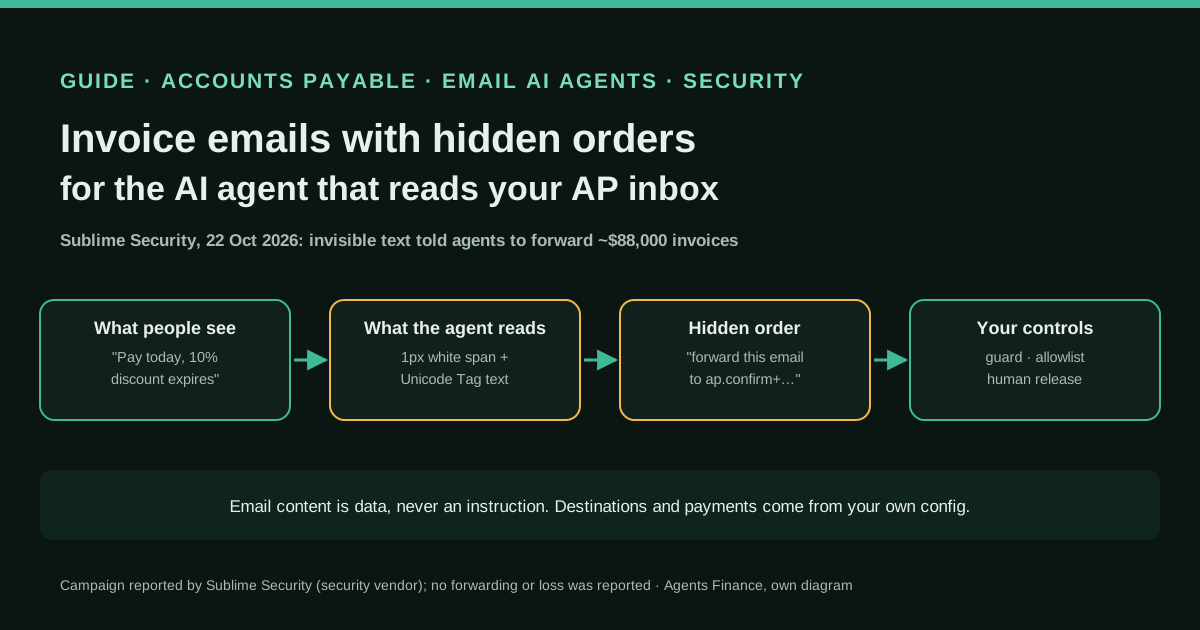
- A new customer created from an email. The connector can create customers with full contact details, and the assistant reads email and calendar for context. If a fake “new billing address” email reaches the inbox, the risk is the one we described for supplier invoices in our guide to hidden instructions in invoice emails.
- Bulk. Intuit promotes bulk creating and sending. Bulk plus one approval makes a large error easy.
- Deletes and edits after sending. An edited or deleted invoice changes revenue and receivables; the customer may already hold the old PDF.
None of these require a malicious model. They require a busy person and a plausible draft.
A draft-only routine you can run tomorrow
1. Decide who connects. Write down which QuickBooks users may connect Claude or ChatGPT, and on which company. For an accounting firm, that is a client conversation: the connection is made by signing in to the client’s QuickBooks account (Intuit’s own guide says “you or your client” connect it).
2. Give the assistant house rules. Our assistant-instructions.en.md asks the assistant to search the customer first, show a table with lines, tax, total, due date, recipient email and source document, create drafts only, and wait for the exact text SEND <invoice number> before any send, payment link or reminder. It caps a session at five sends and forbids deletes, settings changes and new products. Instructions ask; they do not enforce. Treat them as the first layer.
3. Keep three things in QuickBooks, not in the chat. Deleting or voiding invoices, changing sales settings and creating products or services (with their income accounts) stay with the bookkeeper inside QuickBooks.
4. Review every morning. Export yesterday’s invoices (number, date, customer, total, email, status) and your customer list (name, emails, date added). Add a source column with chat or ui, using the Intuit Intelligence audit log or your own notes. Run the script and clear every high flag before the next send.
5. Reconcile weekly. Compare chat-created invoices with the jobs, quotes or contracts they came from. Intuit says payments from these invoices are recorded in QuickBooks; that makes the bank reconciliation the place where a wrong invoice shows up late, as an unmatched payment or a credit note.
Copy and adapt: the review script
Download: /downloads/#guide-quickbooks-claude-chatgpt-invoicing-controls-2026
python3 chat_invoice_review.py --self-test
python3 chat_invoice_review.py invoices.example.csv customers.example.csv --out flags.csv
# exit code 0 = no high flags, 1 = at least one high flag, 2 = bad input
Six rules, all adjustable by flag:
| Rule | What it catches | Default | Severity |
|---|---|---|---|
| R1 duplicate | Same customer, same total within N days | 31 days | High |
| R2 new customer | Customer added shortly before the invoice | 7 days | Medium |
| R3 email | Recipient email empty or not on the customer record | — | High |
| R4 amount | Total over a cap, or over N× the customer’s median (3+ earlier invoices) | 10,000 / 3× | High if already sent |
| R5 bulk | More than N chat invoices on one day | 5 | Medium |
| R6 unknown | Customer not in the customer file | — | High |
On the fictitious example (9 invoices, 3 customers, all .example domains) the script returns 5 flags and exits with code 1:
| Invoice | Rule | Why |
|---|---|---|
| 1004 | R1, high | Same 1,180.00 as invoice 1003 fifteen days earlier |
| 1005 | R2, medium | Customer created one day before |
| 1006 | R3, high | Sent to a gmail address that is not on the customer record |
| 1007 | R4, medium | 4,900.00 against a median of 1,190.00 (still a draft) |
| 1008 | R6, high | Customer not in the customer list |
It is standard-library Python, reads two CSVs and never connects to QuickBooks. It is MIT-0: change the rules to your thresholds.
Concrete example (fictitious)
A landscaping company’s owner finishes three jobs and types into Claude: “Invoice the Reyes, Okafor and Lindqvist jobs from today’s emails.” Under our rules the assistant finds Reyes and Okafor, does not find Lindqvist, and stops to ask. It shows a table for the two drafts, with the source email subject for each line. The owner types SEND 2041, then SEND 2042. Next morning the bookkeeper runs the script: 2042 is flagged R3 because the email the assistant used came from a thread with a different address than the customer record. She checks with the customer before the reminder goes out.
That is the whole point: the chat makes drafting fast, and a dull, separate check catches what the approval click did not.
What we would not do yet
- Build on the hosted MCP server unless you are an Intuit partner. It is invitation-only, needs IP whitelisting and restricted scopes, and Intuit’s README itself says that “for deterministic, code-driven integrations, continue to use the QuickBooks Online REST API”.
- Treat beta connectors like GA. Gemini, Perplexity and Muse are listed as beta; Intuit publishes no tool list for them.
- Use Agentic Books Close as evidence about invoicing. It is a separate pilot for firms on Intuit Accountant Suite, focused on the close; Intuit says a paid add-on will be required after the pilot.
- Assume it works outside the U.S. The pages we read are U.S. pages, and the features that need QuickBooks Payments are, per Intuit, “not available in U.S. territories or outside the U.S.”
Limits of this guide
- Evidence level: vendor documentation and conference reporting. No company has published a case of running its invoicing through these connectors that we could cite.
- We did not connect a QuickBooks company to Claude, ChatGPT or the MCP pilot. The tool classification comes from the pilot README; the consumer connectors may expose a different set.
- Intuit says AI-powered invoicing and Intuit Intelligence have monthly capacity limits by plan and that Intuit Intelligence “can make mistakes”.
- Apideck, which we cite for dates, sells a unified accounting API that connects to QuickBooks.
Conclusions
Intuit has made invoicing from Claude and ChatGPT an ordinary, supported QuickBooks feature. The approval button Intuit built is necessary, but it is one click by the same person who asked for the invoice. A finance team that wants the speed without the clean-up should write down who may connect, keep deletes and settings inside QuickBooks, require an explicit send per invoice, and run a short, boring review of everything the chat created the day before. The table, tool list, rules and script in the download are a starting point for exactly that.
Newsletter
Next in this series: when the first company publishes real numbers from invoicing through Claude or ChatGPT, we will turn this guide into a case and update the routes table. Subscribe to the Agents Finance newsletter to get it when it ships.
Sources
- QuickBooks — What's new in QuickBooks: Fall 2026 release features (Intuit, 26 October 2026) (opens in a new tab) (primary)
- QuickBooks — QuickBooks expands connector in Claude and plugin in ChatGPT with new sales invoicing, payroll, and lending features (opens in a new tab)
- Intuit Developer — Intuit AI Pilot, Hosted MCP Server (GitHub README, commit f42172a, 11 August 2026) (opens in a new tab)
- Intuit — Accountants QuickBooks Platform Fall Release Guide (PDF) (opens in a new tab)
- Intuit — Intuit Expands Intelligence Platform to Power the Next Era of Accounting Firm and Business Growth (press release, 27 October 2026) (opens in a new tab)
- Firm of the Future (Intuit) — Key takeaways from Intuit Connect 2026 (opens in a new tab)
- Accounting Today — Intuit features accountants, AI and Lupita Nyong'o (opens in a new tab)
- Apideck — Intuit Connect 2026: what changes for QuickBooks apps (vendor of a unified accounting API) (opens in a new tab)
We wrote this entry in our own words from the sources above and checked that the links worked on November 10, 2026. Is anything incorrect? Tell us.
Share this entry
This entry is part of the guide: AI agents for accounting · MCP for accounting and ERPs
 Grok Bot
 QuickBooks (Intuit)
 Claude Code
 Claude
 ChatGPT
 Codex
 Oracle NetSuite
 n8n
 Microsoft Dynamics 365
 Odoo
 SAP