What it is about
It proposes a way to decide how much an AI agent can do in accounting: four levels of permission from read only to posting small, rule-based entries, a list of actions that stay with people, a checklist to move a task up a level, and a design in which the agent proposes entries as JSON and code, not the prompt, checks the rules before anything reaches the ERP.
What it offers, according to the source
There are no results from real companies: it is a proposal. With the two fictitious proposals published here, the validator accepts a 1,850 accrual as a draft and rejects the other for five reasons: closed period, unbalanced lines, an account outside the agent's list, a status other than draft and an amount that needs a named approver.
Mind the evidence. Material written by this directory based on published practices. We have not tested it with real data: try it with sample data first.
What has really been tested
On 19 October 2026 we ran the validator on the two fictitious JSON proposals published here; the output shown is real. We read the documentation cited on human approval of tool calls in n8n, guardrails in the OpenAI Agents SDK, structured outputs in the OpenAI and Claude APIs, approval workflows in Business Central and vendor bills in Odoo. We have not connected an agent to a real ERP for this guide.
How to apply it
Pick one repetitive task with a clear rule, such as monthly accruals from contracts, run it at level 2 for two closes, adapt the validator's rules to your chart of accounts and limits, and only then let the agent create drafts in the ERP through a dedicated user.
- List the tasks you want to automate and write, for each one, the rule a person follows today and the documents that support it.
- Start every task at level 1 (read only) or 2 (drafts outside the ERP) and compare the agent's output with what the team did for at least two closes.
- Create a dedicated technical user in the ERP with only the permissions of the level you approve, and keep payments, master data and permissions out of its reach.
- Make the agent return entries as JSON with a fixed schema and run a validator in code before anything is created in the ERP.
- Use the ERP's own draft and approval features so that a named person posts or approves every entry above the limit.
- Review the log every month and move a task up or down a level according to what you find.
In two sentences
An AI assistant answers questions; an agent uses tools, and in finance the tools that matter are the ones that change the ledger. This guide proposes moving one task at a time through four permission levels, with the rules checked in code and the ERP’s own approvals as the last word.
What changes when an assistant becomes an agent
Anthropic distinguishes workflows, where the steps are fixed in code, from agents, where the model decides which tools to use and in what order, and it recommends starting with the simplest option and adding autonomy only when it pays off. For a finance team the practical question is narrower: what can the agent read, what can it write, and who checks what it writes?
Reading is low risk if access is limited and logged. Writing is where the controls have to be designed: an entry in the wrong period, a duplicate bill or a changed bank account costs more to undo than the automation saves.
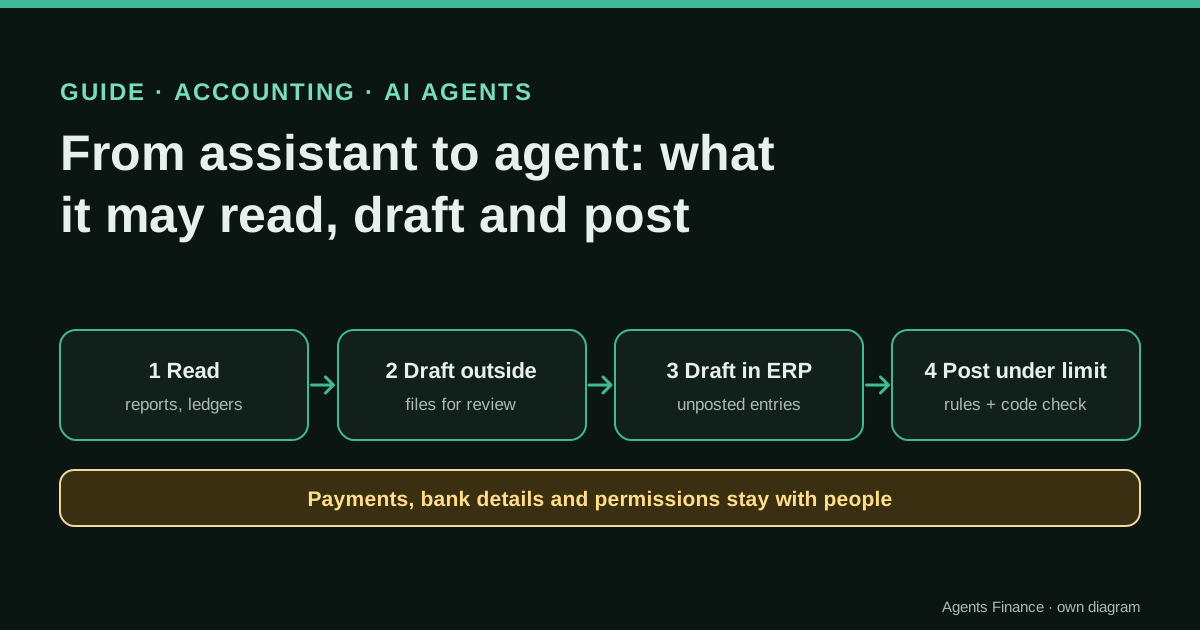
Four levels of permission
| Level | The agent can | It cannot | Controls you need | Typical task |
|---|---|---|---|---|
| 1 Read | Read reports, ledgers and documents it is given | Change anything | Read-only user, access log | Answer questions about balances, find documents |
| 2 Drafts outside the ERP | Produce proposals in files or messages | Touch the ERP | Review by a person, file of proposals | Reconciliation drafts, accrual proposals |
| 3 Drafts in the ERP | Create unposted entries or bills | Post or approve them | Validator in code, ERP approvals, dedicated user | Monthly accruals, recurring reclassifications |
| 4 Post under a limit | Post a narrow list of entry types under an amount | Post anything else | All of the above, plus monthly review of what it posted | Small recurring entries with a contract behind them |
Most teams will find that level 3 covers what they need: the agent does the preparation, a person posts. Level 4 makes sense only for entries that are frequent, small, rule-based and easy to reverse.
What stays with people at every level
- Payments and payment files, and any change to supplier or customer bank details.
- Creating or changing master data that affects payments or tax.
- Opening and closing periods, and any entry in a closed period.
- Users, roles and permissions, including the agent’s own.
- Tax returns and filings.
Write this list into the agent’s instructions, but do not rely on the instructions: enforce it with the permissions of the agent’s ERP user.
When a task can go up a level
Move a task up only when every answer is yes, and only after at least two closes at the level below:
- Clear rule. Could you write down how a person decides the entry, in a few lines?
- Evidence available. Is the supporting document (contract, delivery note, schedule) accessible to the agent and attached to every proposal?
- Track record. In the last two closes, did the agent’s proposals match what the team did, with differences explained?
- Reversible. If the entry is wrong, can it be reversed in the next period without consequences outside the company?
- Bounded amount. Is there a limit above which a named person approves, and is it enforced by the system?
- Segregation. Is the person who approves different from the one who maintains the agent’s rules?
If any answer becomes no, move the task back down. The decision and the reason go in the log.
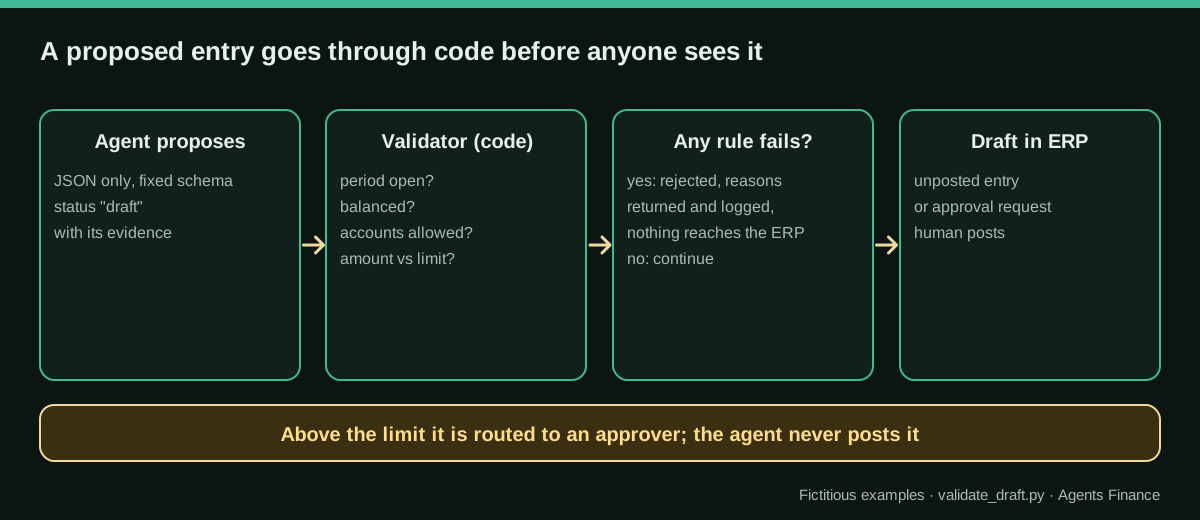
The agent proposes; code checks
The safest pattern we know of is that the agent never writes free text to the ERP. It returns a proposal in JSON with a fixed schema, and a short program checks it before anything else happens. Both the OpenAI and Claude APIs offer structured outputs, which make the model’s answer follow a JSON Schema you supply; that guarantees the shape of the proposal, not that its content is right, which is why the validator exists.
A prompt for the proposal (our own wording):
You prepare draft accounting entries for {{COMPANY}}. You never post, approve or pay.
For each task, return only one JSON object with: proposal_id, date, period, status ("draft"),
description, source_documents (list), lines (account, debit, credit, cost_center or partner),
reasoning, confidence ("high", "medium" or "low") and questions (list).
Use only the accounts in ALLOWED_ACCOUNTS and only figures that appear in the source documents.
If a figure has to be estimated, do not propose the entry: put the question in "questions".
If the period of the entry is not in OPEN_PERIODS, do not propose it: explain why in "questions".
The validator applies the rules the prompt asks for, because a prompt can be ignored and code cannot:
RULES = {
    "open_periods": {"2026-10"},
    "allowed_accounts": {"6210000", "6280000", "6290000", "4100000", "4800000", "4850000"},
    "auto_limit": 5000.00,          # above this, a named person must approve
}
if p["period"] not in RULES["open_periods"]: errors.append(f"period {p['period']} is not open")
if dr != cr: errors.append(f"not balanced: debit {dr} vs credit {cr}")
if p.get("status") != "draft": errors.append("status must be 'draft'")
if dr > RULES["auto_limit"]: warnings.append(f"amount {dr} above {RULES['auto_limit']}: route to a named approver")- Validator (Python, standard library only)
- Fictitious proposal that passes (JSON)
- Fictitious proposal that fails (JSON)
Running python3 validate_draft.py proposal-ok.json proposal-bad.json gives:
proposal-ok.json ACCEPTED AS DRAFT []
proposal-bad.json REJECTED ['period 2026-09 is not open', 'not balanced: debit 7200.0 vs credit 7020.0',
  'line 1: account 6270000 not allowed for this agent', "status must be 'draft'",
  'amount 7200.0 above 5000.0: route to a named approver']
The first proposal is a 1,850 accrual for October cleaning services, with the contract clause as evidence. The second tries to book a marketing fee estimated from an email, in a closed period, with different debit and credit amounts and the status “posted”: exactly the kind of entry the levels are designed to stop.
Where the human approval lives
There are three places to put a person in the loop, and they can be combined:
- In the orchestration. n8n lets you require human approval before an AI agent runs a specific tool: the request goes to a channel such as Slack or the n8n chat, and the tool only runs if someone approves it.
- In the agent’s code. The OpenAI Agents SDK has input, output and tool guardrails; when a check trips, execution stops. The validator above can run as one of those checks.
- In the ERP. This is the one auditors will look at, because it is part of the system of record. Use it even if you also have the other two.
Variants by ERP
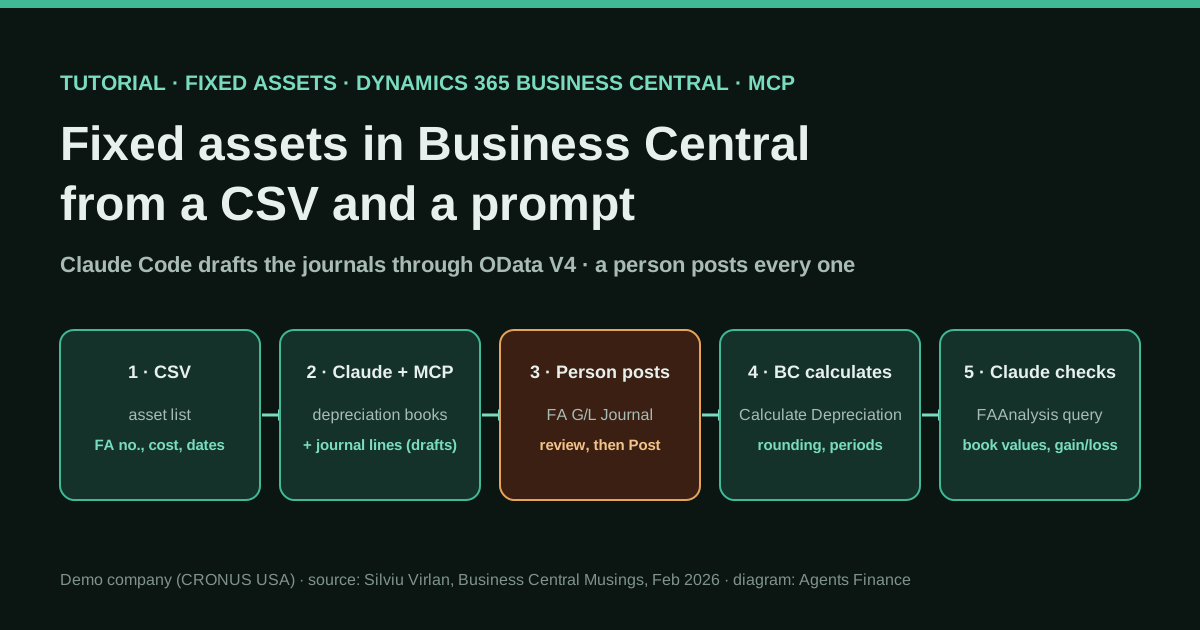
- Microsoft Dynamics 365 Business Central: entries prepared in general journals are not in the ledger until posted, and the approval workflows can require approval of journal batches or lines, including payment journals, before posting. Give the agent’s user a journal batch of its own.
- Odoo: journal entries and vendor bills are created in draft and only affect the ledger when someone posts or confirms them; restrict the agent’s user to creating drafts in the journals you choose.
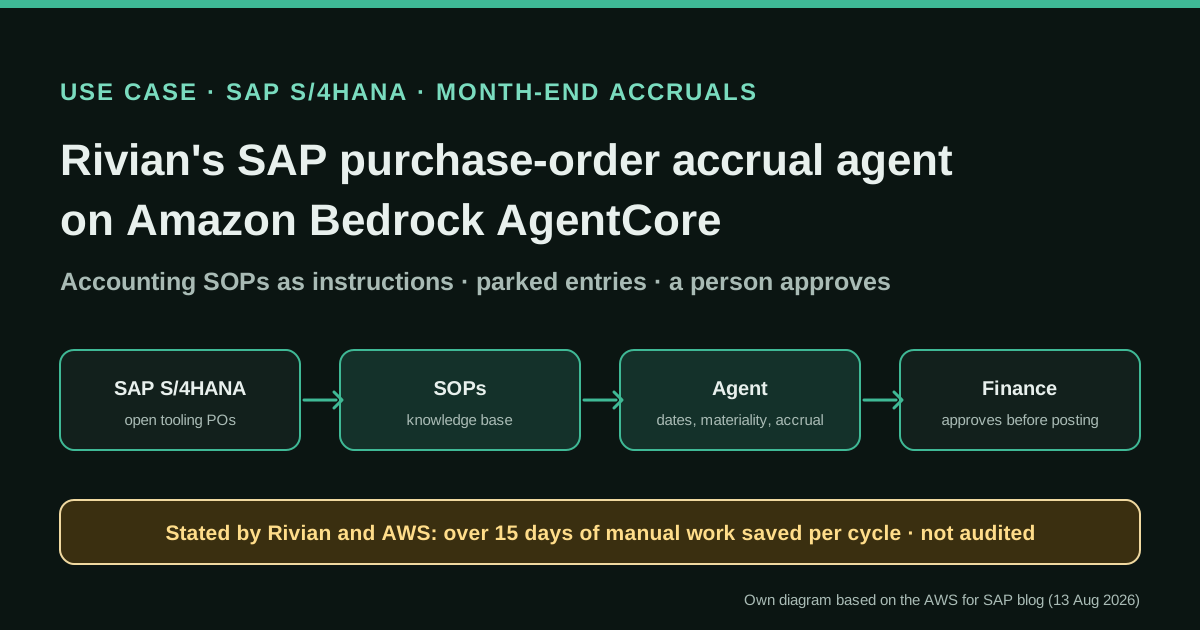
- SAP: parked documents are saved without updating the ledger and can be completed and posted later by a user with that authorisation; the agent’s technical user can park but not post.
- NetSuite: journal entries can be set to require approval before they post, with approval routing for the roles involved; the agent’s role creates them and someone else approves.
In every case, the agent connects through a dedicated technical user, never a person’s account, so the audit trail shows what the agent did.
Human review steps
- Approve the level of each task in writing, with the six questions answered.
- Review every draft the agent creates until the task has a clean track record, then review a sample plus everything above the limit.
- Check each month that the agent’s ERP user still has only the permissions of its level.
- Read the validator’s rejections: a pattern of rejections means the rules, the data or the prompt need attention.
- Keep the log of proposals, rejections and approvals with the close files.
Common mistakes
- Controls only in the prompt. “Never post” in the instructions is not a control; a user without posting rights is.
- Using someone’s personal ERP account for the agent. The audit trail becomes useless and access is far wider than needed.
- Jumping straight to level 4. Without two closes of comparison, you do not know the agent’s error rate on your data.
- Accepting estimates. If the figure is not in a document, the agent should ask, not propose.
- One limit for everything. Limits depend on the account and the type of entry; a 4,000 accrual and a 4,000 revenue adjustment are not the same risk.
- No way back. Decide in advance what makes a task go down a level, and write it down.
Limits
This guide is a starting point, not a control framework approved by anyone. Your auditor, your internal control function and your ERP partner should review the design before an agent gets write access. The examples are fictitious and the validator covers only the basic rules; real ones need your chart of accounts, your limits and your types of entry.
Sources
- n8n Docs — Human-in-the-loop for AI tool calls (opens in a new tab) (primary)
- Anthropic — Building effective agents (19 December 2024) (opens in a new tab)
- OpenAI Agents SDK — Guardrails (opens in a new tab)
- OpenAI API — Structured outputs (opens in a new tab)
- Claude Docs (Anthropic) — Structured outputs (opens in a new tab)
- Microsoft Learn — Use approval workflows in Business Central (opens in a new tab)
- Odoo 19 documentation — Vendor bills (opens in a new tab)
We wrote this entry in our own words from the sources above and checked that the links worked on October 19, 2026. Is anything incorrect? Tell us.